
2026-10-06

The XCT Ambassador Program is open: carry XCT.live and get XCT Pro free

Carry XCT.live, get XCT Pro free. The XCT Ambassador Program is now open to every member. Put XCT.live on your XBOX profile and wear the XCT server tag on Discord, and you hold XCT Pro, VIP and the green Ambassador chip for as long as they stay there. There is no payment and no time limit. Open the program at xct.live/ambassador, or find it in the Community menu.

What you carry

  • Bio: your XBOX bio contains XCT.live.
  • Location: your XBOX location contains XCT.live.
  • Gamerpic: a gamerpic made in Gamerpic Studio with the XCT.live logo.
  • Gamertag: XCT as its own word in your gamertag.
  • Discord: your Discord account connected to XCT.
  • Discord server tag: you are in the XCT Discord server and wear its server tag.

What you get
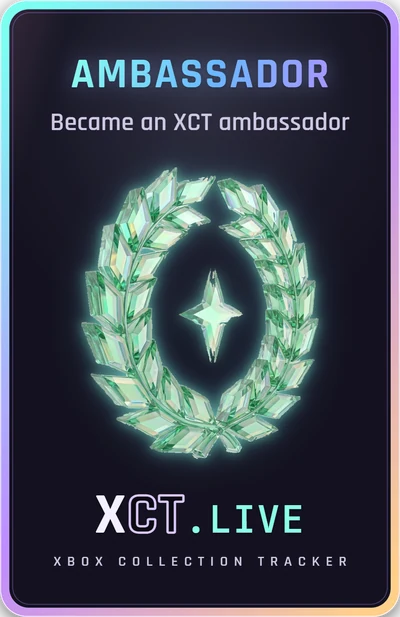
The Ambassador card
  • XCT Pro: every Pro feature, for as long as you are an Ambassador.
  • VIP: the gold VIP chip on your XCT profile.
  • The Ambassador chip: the green chip that only members in the program hold.
  • A crystal wreath next to your name on your profile, and the Ambassador card in your Deck while you are in the program.

The page does most of the work

  • It shows your XBOX bio and location as they are now. Add XCT.live and save them to XBOX from the page. You do not need XCT Pro for this.
  • Gamerpic Studio puts the XCT.live logo on a picture, or on your current gamerpic, and sets it on XBOX. This is free when the logo is on.
  • Try a gamertag with XCT in it before you change it, then use the link to your XBOX profile page to change it.
  • Connect Discord, and see how your name looks with the XCT server tag.

How it stays on

XCT checks your profile every day. While every item is in place, your perks stay on. If an item goes missing, the perks end soon after. You can leave the program at any time.

Join the XCT Ambassador Program
Share:
2026-10-06

The Smrnov 1 Million Gamerscore XBOX 360 Challenge is live

Can you earn 1,000,000 Gamerscore from XBOX 360 games only? Very few players have done it. The challenge is named after smrnov, who reached 1,000,000 XBOX 360 Gamerscore on 6 August 2020. Now every XCT member can take it on, at xct.live/smrnov.

The rules

  • Only Gamerscore from XBOX 360 games counts.
  • XBOX 360 games you play on XBOX One or XBOX Series through backward compatibility count too.
  • There is no time limit.
  • Games for Windows LIVE titles do not count, except the 5 that are also XBOX 360 games. Games you hide on XBOX do not count.
  • The challenge is opt-in. Press Enter now to join. Only members who enter and share their profile are on the board and in the Hall of Fame. You can leave at any time.

What you get when you enter

  • Your progress: your XBOX 360 Gamerscore, your rank, how much is left, your pace over the last 90 days and when you will reach 1,000,000 at that pace.
  • A share card of your race, in landscape or portrait.
  • Plan my journey: pick the XBOX 360 games that take you to 1,000,000.
  • My list: the games you picked, with progress bars and Buy buttons.
  • Your Gamerscore over time, the games you started and did not finish, and the backward compatible games you own but have not started.

For everyone

The Top 20, the Hall of Fame in the order members reached 1,000,000, what there is to earn by kind of game (retail, XBOX Live Arcade, Kinect and backward compatible), and the fastest XBOX 360 completions. You can watch the race without signing in.

The reward

Reach 1,000,000 and claim 20,000 XCT Core, or 30,000 with XCT Pro. It pays once.

The Hall of Fame so far

Two members are already in: Stallion83 reached 1,000,000 on 13 January 2017, and smrnov on 6 August 2020. Who is next?

Enter the Smrnov Challenge
Share:
2026-10-04

RealScore is now the same for everyone, and RealScore has its own page

One achievement, one RealScore. RealScore gives each achievement its gamerscore times a rarity bonus: the fewer players who have it on Xbox, the more it is worth (up to 100×). Until now, XCT used the unlock % that Xbox showed when your own achievements were scanned. On a new game the unlock % rises fast, so members who were scanned early kept the rarer figures, and the same completion was worth a different RealScore for different members.

What changed

  • Every achievement now has one current unlock %, the same for everyone, from XCT’s master achievement list.
  • Two members who complete the same game now get the same RealScore for it. Example: five members finished Minecraft Dungeons II on 2 October with RealScores from 5,437 to 6,576. They now all have 5,907.
  • Your RealScore total and your leaderboard position update over the next day. Most totals move only a little, but members who played new games early can go down a bit, and others can go up.

How Completion of the Day works

  • The crown goes to the completed game that ranks highest on XCT’s game ranking at 00:00 UTC that day. The ranking is by RealScore ratio: the game’s RealScore divided by its gamerscore, so the hardest games rank highest.
  • It is not the completion with the most RealScore. A short, hard game can win over a long game that gives more RealScore.
  • Everyone who completes the winning game that UTC day shares the crown. If your completion reaches XCT after the day closes, you still join the crown for that game.
  • The day stays open until 00:00 UTC, so the crown can change until then.

What this change means for Completion of the Day

The game ranking already used the shared unlock %, so the way the winning game is chosen does not change. What changes is the RealScore shown on each crown: everyone who shares a crown now shows the same RealScore.

New: the RealScore page

Open xct.live/realscore to see how RealScore works and how the whole games library ranks: the spread of scores, the top and bottom games, and the developers and publishers with the highest average RealScore. It is open to everyone, and you can find it in the Community menu.

New: Biggest movers

The RealScore page now shows the biggest movers every day: the 10 members and the 10 games that went up the most in the RealScore ranking since the day before, and the 10 that went down the most. It updates at 00:00 UTC. The first movers appear after the next daily update. Members who hide themselves from leaderboards are not shown.
Share:
2026-10-02

Which Xbox games can't award a Mythic? We checked Xbox's own dataDRAFT · only you can see this

Every game with achievements can award a Mythic, with a few real exceptions. We checked Xbox's own Mythic data to find them.

What we checked

Xbox now reports, for every game you play, the group of original achievements that counts for its Mythic, and whether you have completed it. XCT reads that data for its members. Between 30 September and 1 October 2026 we had it for 2,274 members: 1.47 million game records across 15,135 games, with 541,623 Mythics earned in 12,992 of those games.

Old platforms award a Mythic too

  • Windows Phone: Mythics earned in 258 of 279 games (7,385 Mythics).
  • Xbox 360 games not playable on Xbox One: 90 of 95 (1,439 Mythics).
  • iOS and Android: 30 of 31 (1,613 Mythics).
  • Windows: 1,489 of 1,614 (67,754 Mythics).
  • For example: Microsoft Solitaire Collection on Windows (162 Mythics), COLLAPSE! on Windows Phone (135), Voice Studio (113), Wordament on Windows (110), Shuffle Party (104), MONOPOLY (103), Fruit Ninja (98) and UNO (96) on Windows Phone.
Where a game shows no Mythic yet, it is usually because nobody we scanned has finished it.

Where the Mythic really is broken

  • Beautiful Katamari: Xbox's Mythic group lists 47 achievements, but the game has 40. Nobody can complete the group, so nobody can earn the Mythic: 26 of our members have the game at 100% and none of them has it.
  • State of Decay: Year-One: 16 members at 100%, no Mythics.
  • Too early to be sure, with only one or two players at 100% and no Mythic: Loop8: Summer of Gods, Arcade Archives 2 TOUCHDOWN FEVER, NBA JAM (Windows Phone) and Fusion: Sentient (Windows Phone).

Apps never award a Mythic

Video and TV apps have achievements too (Twitch, Hulu, ESPN, OneDrive and about 40 more), but Xbox gives them no Mythic. That is expected: a Mythic is for games. YouTube, Netflix and Groove Music list 60 achievements in their Mythic group against 10 real ones.

Your own Mythics are in your Mythic Vault, and the Mythic Hall has the community totals. Read how Mythics work on our Mythic wiki.
Share:
2026-09-30

Your Mythic count now matches Xbox exactly

Xbox now publishes every player's official Mythic count, and XCT reads it straight from Xbox. The Mythics number on your profile, in your Mythic Vault and on the Mythic leaderboard is now the same number your Xbox profile shows under “Mythic Achievements”.

We recalibrated every profile

  • 12,745 profiles now show Xbox's exact number.
  • 5,605 counts changed: 4,557 went up and 1,048 went down. The other 7,140 already matched.
  • Mythics across these profiles: 1,297,358 → 1,335,969.
  • 157 members have a Mythic count for the first time.
  • Half of the changed counts moved by 2 or less.

Why numbers moved

Before, XCT worked out your Mythics from each game's achievement list. That missed some Mythics: games with a lot of DLC, where the original achievements are a small part of the list, and games you hid on Xbox, which Xbox still counts. In a few games XCT counted a Mythic that Xbox does not. Now Xbox decides.

Hidden games stay hidden

Your count includes the Mythics in games you hid on Xbox, the same as on your Xbox profile. The games themselves stay off your public XCT pages.

It stays in sync

Your number refreshes each time XCT syncs your achievements, and within about 15 minutes after you unlock something. XCT Mythics (games where only confirmed-unobtainable achievements are left) stay a separate total in your vault.

Read how Mythics work on our Mythic wiki.
Share:
2026-09-29

Mythic Achievements are here — live on your profile

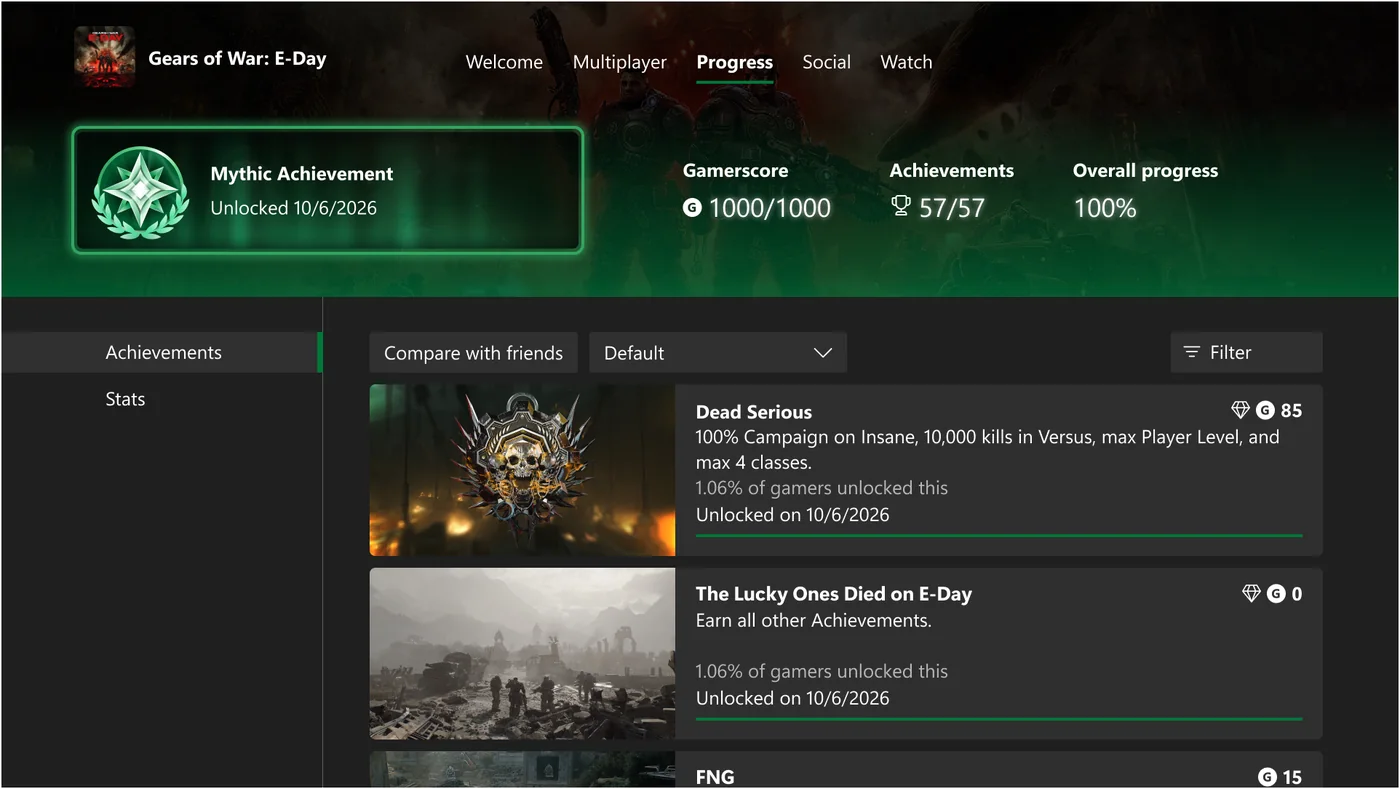
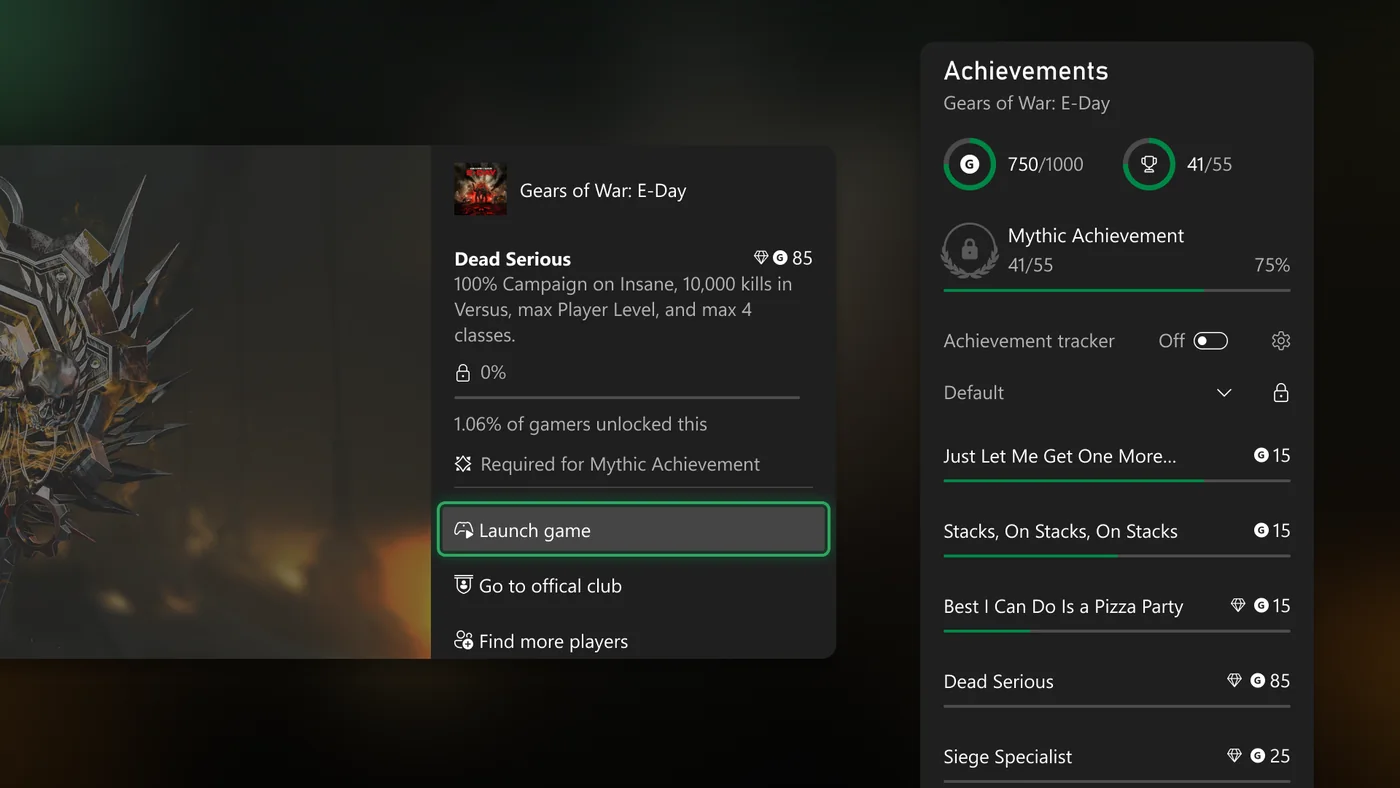
Xbox made Mythic Achievements official for Xbox Insiders on 29 September 2026. You earn a Mythic when you complete every original achievement in a game — DLC and title-update achievements are not required, and once you have earned it, it is yours to keep. It is retroactive, so games you finished years ago (Xbox 360 included) already count.

Your Mythic stats, on every profile

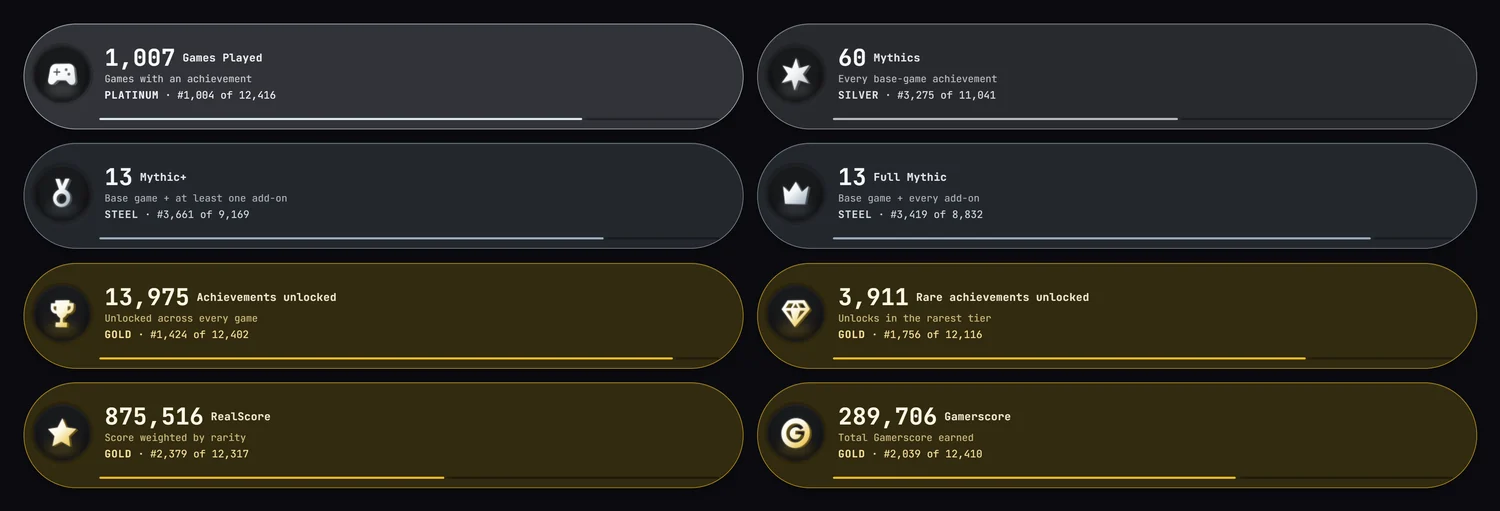
Every profile now leads with the graded stat pills: Games Played, Mythics, Mythic+ (base game plus at least one add-on), Full Mythic (base game plus every add-on), Achievements, Rare, RealScore and Gamerscore — each with your rank tier.The Mythic stat pills on a profile

How Xbox shows it

Xbox achievement list with the Mythic frameXbox path to Mythic with add-on tags
Read the full breakdown on our Mythic wiki. Images in the last two rows: Xbox Wire, 29 September 2026.
Share:
2026-09-24

Your hidden games now stay hidden on XCT

Did you hide a game on Xbox with “Hide from profile”? XCT now keeps it hidden too. When XCT syncs your achievements, it reads which games you hid on Xbox, and it keeps them off your public XCT pages.

Where a hidden game no longer shows

  • Your profile: Showcase, Played, Completions, Achievements and the other tabs.
  • Your feed cards: no new unlock or completion cards for that game.
  • Game pages: the “who unlocked this” lists.

Two new settings

Open Settings › Privacy › Hidden games:
  • Hide hidden games from public pages — on by default.
  • Hide hidden games from /games and /achievements — off by default. Your own databases still show every game unless you turn this on.

It follows Xbox

Hide or unhide a game on Xbox, and XCT changes to match at your next achievement sync. You do not have to set anything twice. Each version of a game is separate: if you own a game on Xbox One and on PC, hide the one you want gone.
Share:
2026-09-23

The Mythic Vault is open to every member

Now open to every member
Mythic Vault
Every game you finished to the last base achievement.
Your Mythics, streaks, fastest and longest roads, a leaderboard, a share card and the Mythical deck card (+100 Core).
StatsAlmost MythicLeaderboardShare card
Enter your vault
Mythic achievements are coming to Xbox, and you can see yours on XCT today. The Mythic Vault is now open to every member, free and Pro. Open it from the Profile menu or go to xct.live/mythic-vault.

What is a Mythic?

A Mythic is a game where you unlocked every achievement of the base game. DLC achievements do not count. Gamerscore does not matter either: there is no Gamerscore cap, so a small arcade game counts the same as a big retail game. Only games count (not apps), and the game must have some Gamerscore.

To find the base-game list, XCT uses three layers, in this order: a fix made by our admins, then a confirmed pack tag from the community, then our automatic split of base game and DLC. If a game has no tags, all of its achievements count.

What is in your vault

  • The Enter gate. The vault opens with the Mythic sound and a curtain reveal. Then the Mythic emblem plays and turns into your “N Mythics” pill, with a shimmer. Icons of your top Mythics float behind it.
  • Your stats. Mythics this year, the most in one week and in one month, your best streak, your fastest Mythic, your longest road to a Mythic, and your base-game Gamerscore.
  • Almost Mythic. The games where you need only a few more base achievements. Titles flagged as unobtainable or discontinued are not in this list, so every game there is one you can still finish.
  • Charts. Mythics per month, Mythics by platform and your busiest day of the week.
  • Top 10 by RealScore, and your first and most recent Mythics.
  • The Mythic leaderboard. The top 10 members, and your own row as the 11th line if you are not in the top 10.
  • All Mythics. A second tab with every Mythic you hold. Show them as Icons, Portraits, a Coverflow or Trailers. Filter them, turn the sound on or off, and see where to buy each game from its Buy pill.
  • The Mythical deck card. Enter your vault after your first Mythic and the Mythical card goes into your Deck. Claim it for 100 Core.

Share your vault

Your vault makes a share card for you, in landscape (for X, Reddit and Discord) and portrait (for phones and stories). Save the PNG or use the share buttons. You can also share your vault page. Anyone can open it, also without an XCT account. They see your vault, read-only, and a join banner with your referral link, so a friend who joins from your link gets their own vault too. A private profile or hidden game progress keeps your vault private.

This is our reading, not the final word

Microsoft has not launched Mythic achievements yet. We use all the information available to us today. Microsoft may change the rules when Mythic achievements launch officially, and we will update the vault if they do. Your count can change on that day.

Thanks to Sean Carey and TrueAchievements for their reporting. Our full guide, with what we found in the Xbox app and what TrueAchievements reports, is on the wiki: xct.live/wiki/mythic.

Enter your Mythic Vault ›
Share:
2026-09-01

Xbox Disc to Digital: what 1,929 tracked games tell us so far

Community investigation
Disc2Digital
Your discs. The community's answers.
1,929 games tracked. Every Yes, No, correction and source in one living database.
Open the database
Xbox has begun turning supported physical games into digital entitlements, and the community has already tested almost half of the games in XCT's first catalogue pass. The early results are encouraging, messy and much more edition-specific than a simple publisher whitelist can explain.

What Disc to Digital actually does

The test began for eligible Xbox Insiders on 31 August. Insert a supported Xbox One or Xbox Series X disc into a console with a drive and launch it (or use the disc's menu) to claim a digital entitlement. The disc keeps working. The claimed version gains the normal digital benefits that title supports, including Xbox Play Anywhere and Xbox Cloud Gaming. Microsoft says most Xbox One and Xbox Series disc games are supported, with thousands available initially and more to be added. This is not an Xbox 360 back-compat list: the programme concerns native Xbox One and Series discs. Microsoft also advises owners to keep the qualifying disc, because ownership may need to be checked again.

The numbers after the first community sweep

At publication time the XCT Community Disc to Digital Database tracks 1,929 games: 701 confirmed Yes, 264 confirmed No, and 964 not yet confirmed. That is 965 real Yes/No results already recorded. Of those confirmed tests, 191 are Xbox Play Anywhere titles: 140 work and 51 do not. The remaining confirmed non-XPA set is 561 Yes and 213 No.

The strongest developer samples currently lean positive for Capcom (27 Yes / 5 No), Koei Tecmo Games (16 / 2), Visual Concepts (15 / 1), Codemasters (15 / 0), EA Canada (10 / 0), Telltale Games (10 / 0), TT Games (9 / 1) and Konami (9 / 0). The early ATLUS and Square Enix samples are both 0 / 9. These are observations from the discs tested so far, not permanent publisher rules: Insider release notes warn that unsupported games may change during testing.

The big lesson: identify the disc, not just the game

A Store title id or achievement list is not always enough to identify a physical release. Hogwarts Legacy is the clearest example: its Xbox One and Xbox Series X|S discs share an achievement identity, but community testing says the Xbox One disc converts while the Series disc does not. XCT therefore lists both physical versions separately. Collector's editions, regional pressings, compilations and cross-generation releases can produce similar ambiguity.

This also explains apparent contradictions. Middle-earth: Shadow of War, Control Ultimate Edition, Call of Duty: Ghosts and LEGO Marvel Super Heroes were each reported working after an earlier No. Warriors Orochi 3 Ultimate was corrected in the other direction. Rather than silently replacing history, XCT keeps a visible Corrections log with the tester, direction of change and edition note. A disagreement can mean a bad result, but it can also be evidence of two genuinely different discs.

What people have submitted

The database began with the community spreadsheet and now combines linked Reddit reports, direct messages and photographed disc batches. JoeCamNet caught the Shadow of War result and an accidental Towerfall submission; Timma Dos confirmed Control Ultimate Edition and Shadow of War; Lowly identified the two Hogwarts discs and confirmed The Witcher 3: Wild Hunt Game of the Year Edition; gunhero supplied a large run and corrected Warriors Orochi 3 Ultimate; CrazyOrbitz confirmed Call of Duty: Ghosts, Modern Warfare II (2025), Black Ops 6 and Need for Speed Unbound; and Gizmo-ho-ho corrected LEGO Marvel Super Heroes. Señor Navel then supplied image proof that Dying Light 2: Stay Human - Reloaded Edition converts, correcting its earlier No.

TheCandyMan supplied two photographed stacks: one working batch and one non-working batch spanning first-party games, remasters, collections and third-party releases. Javier Cruzat independently confirmed Shadow of War, while Rango5880 added Amerzone: The Explorer's Legacy. Recent Reddit passes also added Hitman 3, Jurassic World Evolution 2 and 3, The Sims 4 Cats & Dogs, and a No for Sleeping Dogs: Definitive Edition. Every row can carry its contributor, note, source link and proof so the evidence stays inspectable. Pretzel then contributed 21 working and five non-working tests, while Rikugeta cleared another 11 previously unconfirmed discs. Rikugeta's working Devil May Cry 5 report conflicts with a photographed No, reinforcing the need to record edition and region rather than discard either test. Jawmuncher added four rarer physical releases—Arzette, Psycho-Pass, CHAOS;CHILD and Shiin (Death Mark)—with linked photographic evidence and the Japan-region download caveat. Miyamoto Musashi separately confirmed that a Japanese Grand Theft Auto V disc grants the digital licence.

Delisted does not automatically mean unsupported

Early reports show both outcomes. Some delisted Forza discs have failed, yet other delisted games have converted. Release year is not a reliable shortcut either. The database covers every native Xbox One/Series release year and keeps untested games visible instead of guessing from their neighbours.

The list is getting noticed

XCT's community database has now been featured by VideoCardz and Pure Xbox. Pure Xbox highlighted why community lists are necessary while Microsoft has not published a complete compatibility list, and linked readers directly to XCT's live results.

How to help

Open the database, search for the exact edition printed on your case, and submit Yes or No. No sign-in is required. If a result already exists and yours differs, include the platform, edition, region and any identifying detail from the disc or case. That correction may be the clue that separates two releases for everyone.

Counts are a snapshot from 1 September 2026. The live database continues to change as submissions and Insider support arrive.
Share:
2026-08-28

TargetScan — you pick, we scan

New feature
TargetScan
You pick, we scan.
Re-scan the games you know are wrong — one, or two hundred.
Open TargetScan
You can now point the scanner at individual games. Pick the ones that look wrong, press once, and their achievements, play time and score are re-checked against Xbox — without waiting for them to come round again.

Why a game goes wrong in the first place

Your library is re-checked when something changes, or when a game goes a week stale. That is the right rule for keeping thousands of titles current, and it is also why a game can sit quietly wrong for days. Four ways it happens:
🎯 The achievement total does not match the individual unlocks.
🎯 0G Xbox 360 achievements never got picked up.
🎯 Play time froze at the moment you stopped unlocking.
🎯 The score never recomputed.

All four are fixed by re-checking that one game: the achievements are refetched, your earned count and gamerscore are rebuilt from those unlock rows, your first and last unlock dates and the span between them are rewritten, and a fresh play-time reading is taken from Xbox.

We have seen this first hand

New members signing up to XCT have had achievements in DayZ, Surviving Mars, Blind Postman and PUBG: BATTLEGROUNDS come unstuck on their first proper scan — achievements Xbox had been sitting on quietly appearing as unlocked. At the time it caused a lot of confusion, and more than one accusation of a hacked gamertag, when all that had actually happened was that the achievements were finally being read properly. This is the same machinery, pointed where you want it.

One game

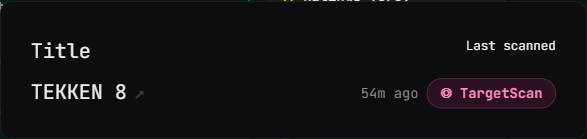
Open any game page and look at your progress panel: it now tells you when that game was last scanned — “yesterday”, “3 days ago”, or “never fully scanned” — with a Request scanner update link beside it. Press it and the scan usually starts within seconds, because pressing it kicks the scanner rather than waiting for your next one. Requested games jump the queue.Last scanned and the TargetScan button on a game page
The game page — in your progress panel, under the bars.

Whichever way you start it, the same panel opens and shows you what it is doing — and, at the end, what it actually found:

Or two hundred

One at a time is fine when one game is wrong. What actually happens is that a run of them goes wrong together — a bad scan window, a gamertag switch, a batch of 360 titles whose achievements never landed. So turn on Select in the Games list, tick the games (or hit Select all matching filter), and press ◎ TargetScan. The whole selection is queued at once and the bar counts it down — “38 games left to scan…” — until it says complete.The select bar with TargetScan and the drain readout
Select mode in the Games list — tick, press once, watch it drain.

Find what needs it

The Games list has a new Last scanned column (Columns ▾ → Your status). It sorts, which is the point: bring the most out-of-date games in your library to the top, select them, and TargetScan the lot.The Last scanned column in the Games list
The Last scanned column — sortable, with its own button on every row.
Last scanned in the game details popup
And in the game popup, under the title ids.

Or start from Settings

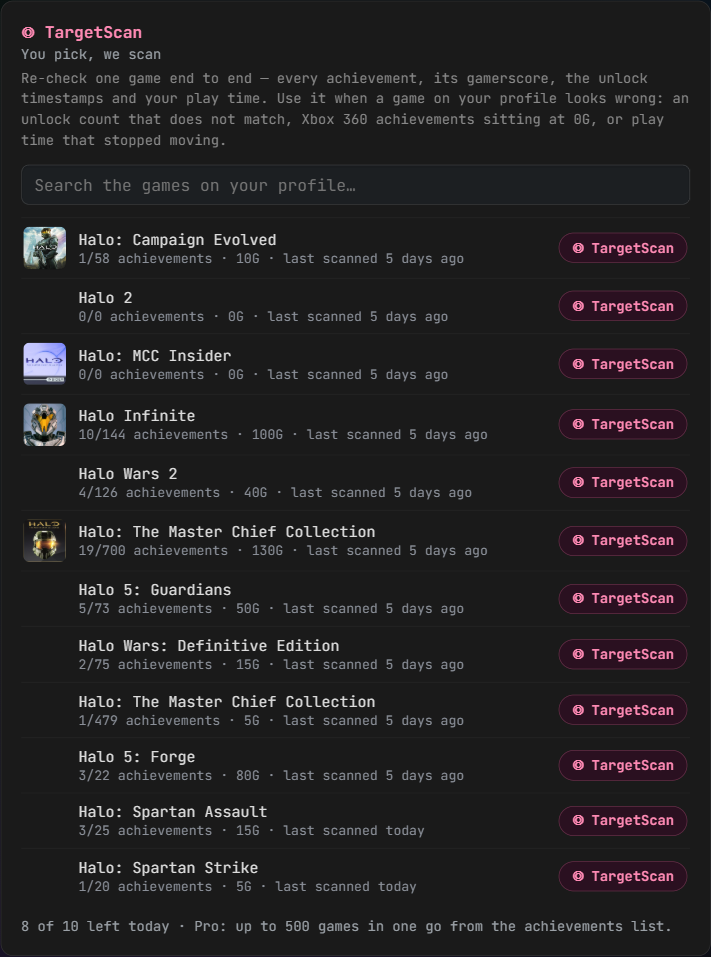
Every route above starts from a game you are already looking at. If you arrive with the other question — which of my games looks wrong? — there is now a TargetScan panel in Settings, under the force-update scans. Type any part of a name and it searches the games on your own profile, showing each one’s unlock count, gamerscore and when it was last fully scanned, so you can see which are stale before you spend anything. It tells you how many scans you have left today, too.The TargetScan panel in Settings, searching the games on your profile
Settings → TargetScan: search your own games, scan the one that looks wrong.

The questions people always ask

Is this just play time, or everything? Everything for that game: the individual achievements, your earned count and gamerscore rebuilt from those unlock rows, your first and last unlock dates and the span between them, and a fresh play-time reading.

Does it wait for my next scan? No. Asking for it also starts the scanner, so it is normally seconds. Ask for ten games and all ten go in the same pass.

Can I just do all my completed games? On Pro, yes — that is what TargetScan is for. It is one queue drained in order, and the whole batch counts as a single TargetScan, not one per game.

How many do I get? Free accounts get 1 TargetScan a day, one game at a time. XCT Pro gets 10 a day, with any number of games in each — so sweeping two hundred completed games costs one of the ten. Both buttons draw on the same allowance, and the select bar shows what is left before you press.
Share:
2026-08-26

XCT Pro: pay by card or on Ko-fi — annual billing and a launch price

Pro can now be paid annually for the first time, and there is now a second way to pay for it. Card checkout has been added on Stripe, alongside the Ko-fi membership that has always run XCT Pro. Both are first-class — same $3.99 a month, same Pro — so pick whichever suits you. Already on Ko-fi? Nothing you need to do.

Annual, at a launch price

📅 $34.99 for a year until 26 September, then $39.99.
💵 Monthly stays $3.99.
🧮 Paying monthly for a whole year comes to $47.88 — so the launch annual price saves you $12.89, a little over three months free.

Card checkout needs no link code

Stripe carries your account id through checkout itself, so Pro switches on the moment the payment clears — nothing to copy, nothing to wait for. On Ko-fi you add your XCT-XXXXX code to the membership message and we match it to your account; if it ever misses, message us and we will link it by hand in a minute.

Billing you can change yourself

💳 Change your card, switch between monthly and annual, or cancel — all from the billing portal on the Pro page, no message to us required.
🏷️ Promo codes work at checkout.
🔒 We never see or store your card details — payment happens on Stripe's own checkout page.

Ko-fi is still a full option.
The Ko-fi membership is not going anywhere and it is not a lesser way to pay: same price, same Pro, and if you are already subscribed there your access carries on exactly as it is. Plenty of people would rather support through Ko-fi, and that is genuinely welcome. The only things card billing adds are the yearly plan and the self-serve billing portal.

If you do want to switch: subscribe on the Pro page, then cancel your Ko-fi membership. Do it in that order and there is no gap — Ko-fi Pro stays live for 33 days after your last payment, so the two simply overlap for a few days. There is no need to time it carefully, and nothing to ask us for.

Any trouble at all, message us and we will sort it out. 👋
Share:
2026-08-25

Badge Number Auction — one retired member number a day, highest bid wins

Badge Number Auction
Your XCT member number is the badge you wear everywhere — profile, feed cards, leaderboards, member lists. New members always take the next number up, so a low one has been out of reach since the day it was issued. From today there is exactly one way to get one: win it at the Badge Number Auction.

Where the numbers come from

When a member wipes their account, or an old one is removed, their number goes back into a pool instead of being reissued. There are 64 retired numbers in it right now — some from the founding gold tier — and every future wipe adds another.

One number a day, 24 hours

At 00:00 UTC a number is drawn at random and goes on the block until the next midnight, with a live countdown on the auction page and at the top of the community feed. Tomorrow's number is always shown in advance so you can plan your Core. The first one is up now: #1219, closing tonight at 00:00 UTC.

How bidding works

🔨 Open ascending bids in XCT Core, like eBay — opening bid 50, raise by 10 or more, and you can raise your own bid any time.
🔒 You can only bid what your balance covers, and nothing is taken until you win: your Core stays put while the auction runs. When it closes the highest bidder is charged their bid; if they have spent it elsewhere in the meantime, the next-highest wins instead.
🔄 Winning swaps your badge number. The number you win replaces your current member number everywhere on the site, and your old number drops back into the pool for a future auction. No number yet? The won number becomes yours.

Earning Core

Every member earns Core, free or Pro — invite friends with your referral link, unlock deck cards, hit milestones, ship a roadmap idea. Spend it on a number worth showing off.

Find it under Community › Badge Auction. Good luck at the hammer. 🔨
Share:
2026-08-23

Radar — one sweep across your Xbox world

Radar — one sweep across your Xbox world
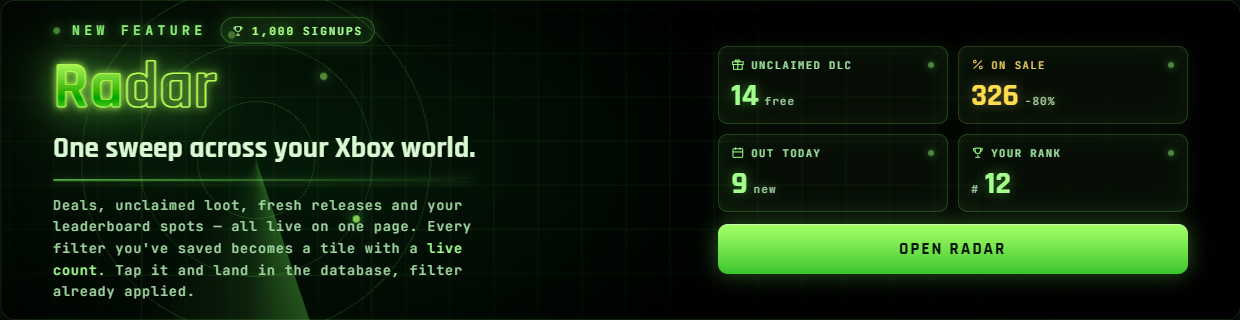
First: thank you. XCT.live just passed 1,000 signups. The best way we know to celebrate a milestone is to ship something — so meet Radar.

One page that watches everything

There is a lot going on across XCT — half a million store listings, your collection, 458,000 tracked achievements, and the leaderboards. Radar puts the pulse of all of it on one page. Every card is a filter with a live count, wearing the cover art of a game inside it. Tap one and you land in that database with the filter already applied.

What's on the sweep

🎮 Unclaimed Free DLC — free, released add-ons for games you own that you never claimed, counted and waiting.
💸 On sale with achievements — everything discounted that earns Gamerscore, biggest saving first.
🆕 Today's releases — what dropped today, counted the moment you open the page.
🏆 Your leaderboards — star any board (★) and Radar shows the top three and exactly where you stand.

Your filters become tiles

Every filter you save in the Store sidebar joins Radar as a card of its own, marked Mine, with its live count beside the XCT presets. The achievement database is on the sweep too — rarest first, secret only, biggest Gamerscore, and the rarest you have unlocked — and every slice is a shareable link now.

Nothing to set up

Presets work for everyone; sign in and your saved filters and favourite boards light up too. Find Radar next to Feed in the nav, or go straight to xct.live/radar.

Here's to the next thousand. 📡
Share:
2026-08-21

SuperSearch — supercharge your search, your way

SuperSearch — supercharge your search, your way
Search used to find two things: games with an achievement list, and gamertags. Everything else in the catalogue was invisible to it — DLC, bundles, alternate editions, community guides, hardware, studios. Not any more.

Nine kinds of result, in one search

Type once and SuperSearch answers with released games, unreleased games, DLC, bundles, editions, guides, hardware, companies and gamertags. Each one gets its own block on the results page, with a count, a collapse arrow, and its own click-sortable columns — sorting Bundles never disturbs Games.
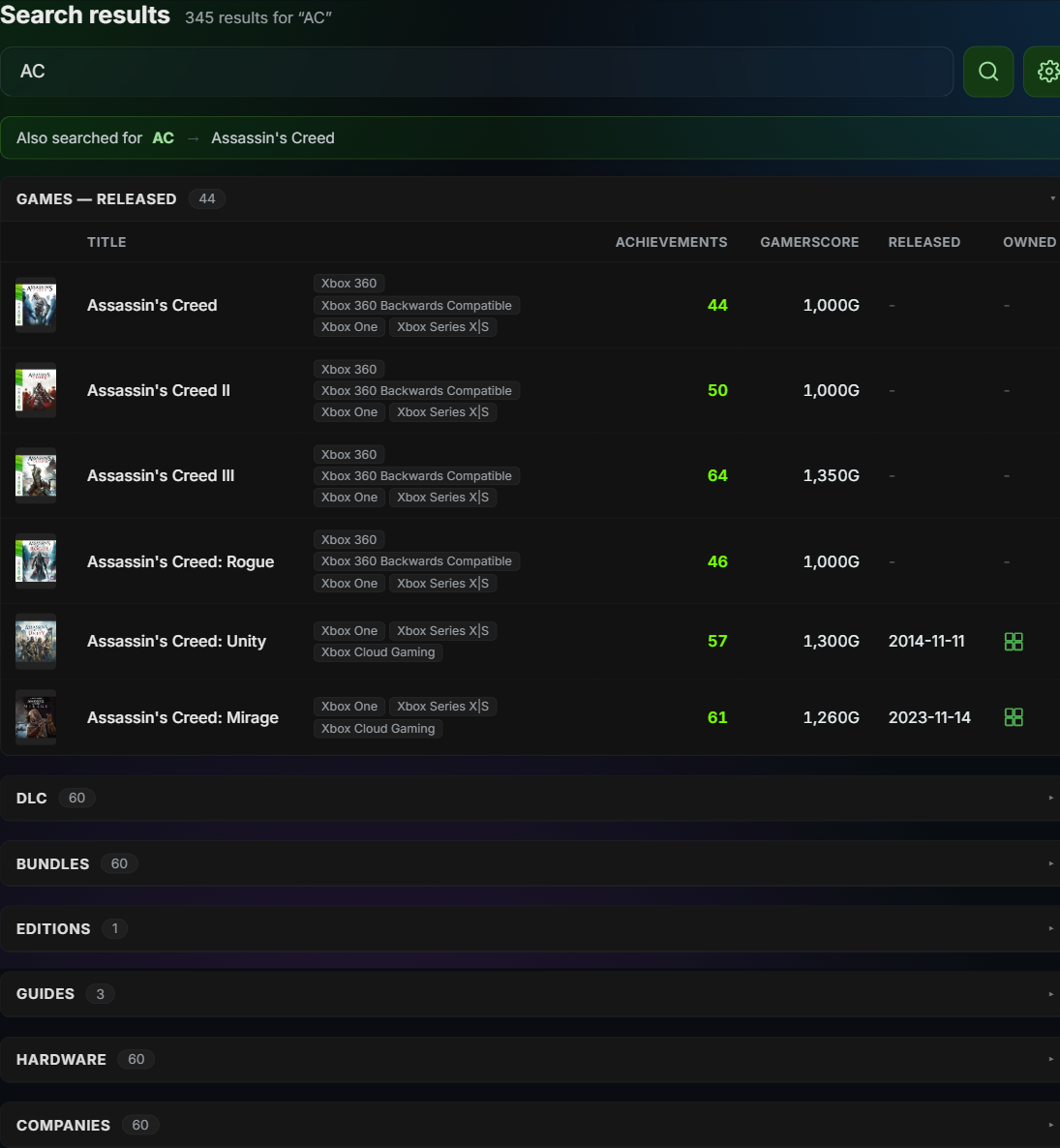
SuperSearch results for AC — the abbreviation banner, an open Games block with sortable columns, and collapsed DLC, Bundles, Editions, Guides, Hardware and Companies blocks

It speaks abbreviation

AC finds Assassin's Creed. COD finds Call of Duty. RDR2 goes straight to Red Dead Redemption 2. We seeded 304 curated abbreviations and checked every single one against the live catalogue first.
It handles sequels on its own, too — ac2, me2, gta3, re4, bo6 all work without us storing a row for each. Franchises number their sequels inconsistently (it's Assassin's Creed II but Mass Effect 2), so SuperSearch quietly tries both.
Expansion is additive: a game genuinely called “AC” is still in the list. And when an abbreviation fires, the results page tells you so.

Abbreviations show on the game page

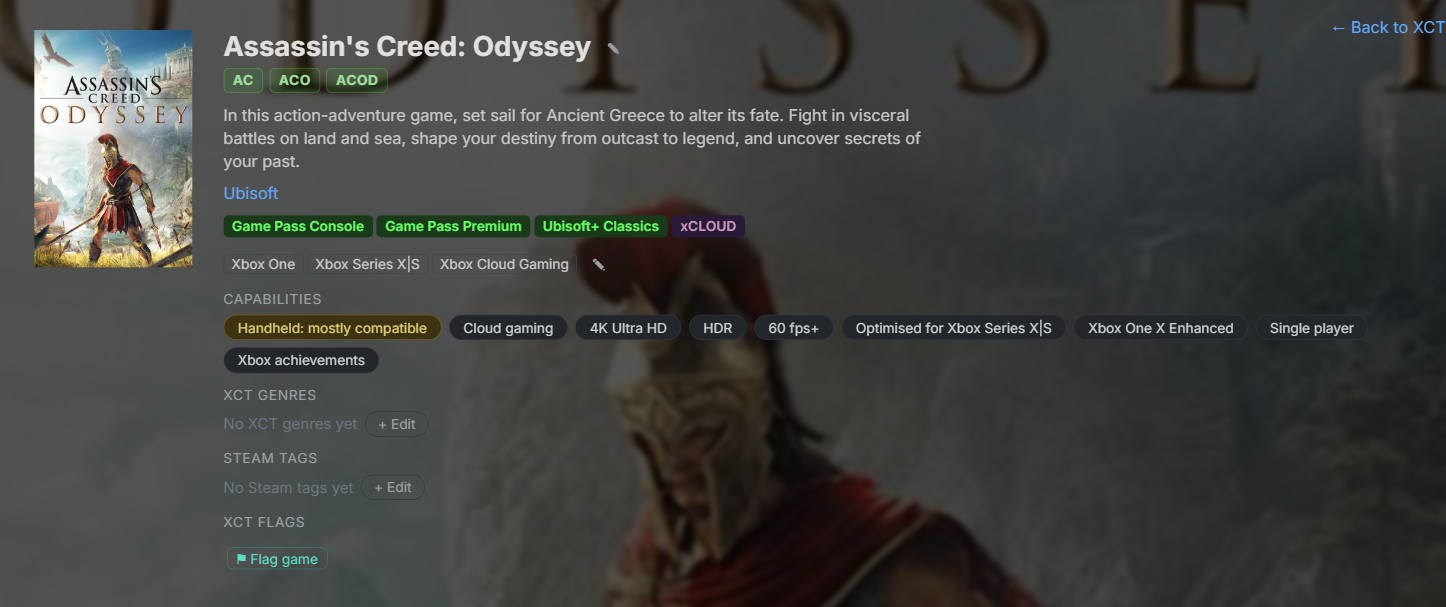
Every game now wears the shortcuts that find it, right under its name — in the same place as translated and renamed titles.
Assassin's Creed: Odyssey on XCT.live with AC, ACO and ACOD abbreviation chips under the title

Ask it a question, not just a name

SuperSearch understands variables — type a thing, a comparison and a value straight into the search box:

achievements < 30   gamerscore > 1000   genre = rpg   owned = no

Five variables — achievements, gamerscore, playtime, genre and owned — with the operators you would expect (< > <= >= = !=). Stack them, and mix them with ordinary text.
Playtime is in hours, and a game you have never played counts as zero. So the one everybody wants:

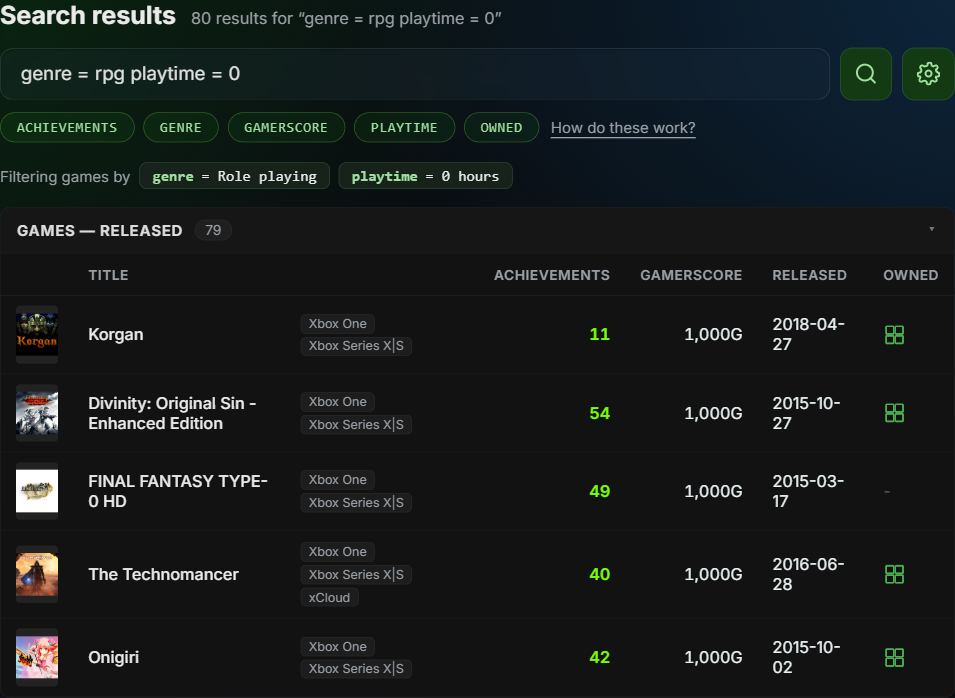
genre = rpg playtime = 0 — every RPG you own and have never started.
SuperSearch filtering by genre = rpg and playtime = 0, showing the variable chips, the parsed filter pills and 79 unplayed role-playing games

The chips under the search bar drop a variable in for you, and SuperSearch says back exactly what it understood — so a typo shows up as a missing pill instead of quietly doing nothing. Short names work too: ach, gs, hours, own.

Your search, your way

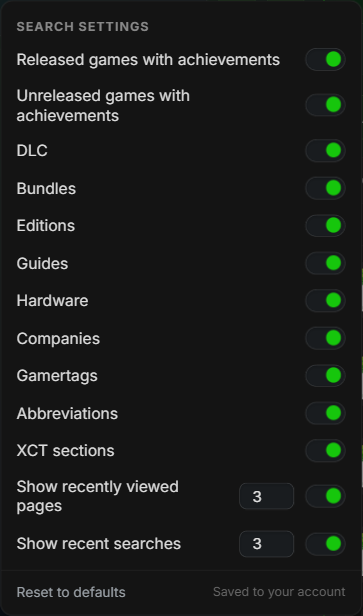
The cog beside the search box opens 13 switches. Turn off what you never want to see and it disappears — and because a category that is off runs no query at all, narrowing SuperSearch makes it faster, not just tidier.
Settings are saved to your account, so they follow you to every device you sign in on.
The SuperSearch settings panel — 13 switches covering released and unreleased games, DLC, bundles, editions, guides, hardware, companies, gamertags, abbreviations, XCT sections, recently viewed pages and recent searches

It remembers where you have been

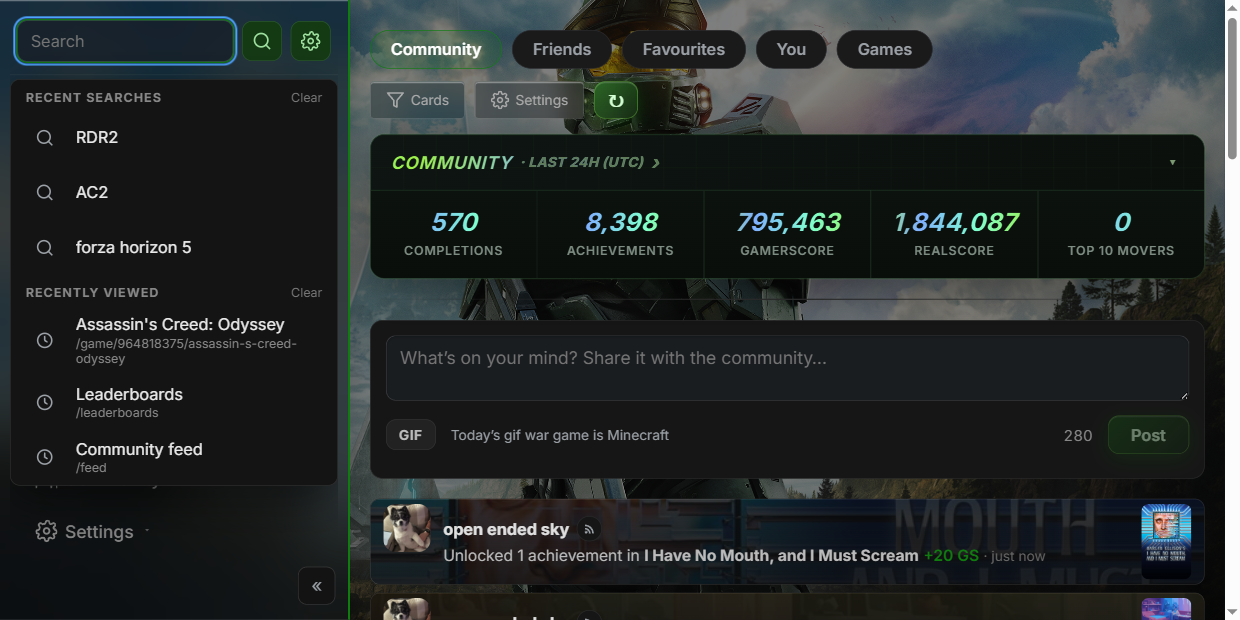
Click into an empty search box and you get your recent searches and the pages you viewed last — how many of each is yours to set, and either can be cleared or switched off. That history stays in your browser and never leaves it.
The XCT.live search box open on an empty query, listing recent searches and recently viewed pages

Also new

A wide search bar now sits at the top of the results page, so searching again never means going back to the sidebar. And the results page finally titles its own browser tab.

Missing an abbreviation you use? Tell us and we'll add it.
Share:
2026-06-24

Leaderboards reimagined — gamerpic rows, XCT Core gems and a cleaner look

The leaderboards just got a big visual refresh — and a few new boards to climb.

A fresh look on every board

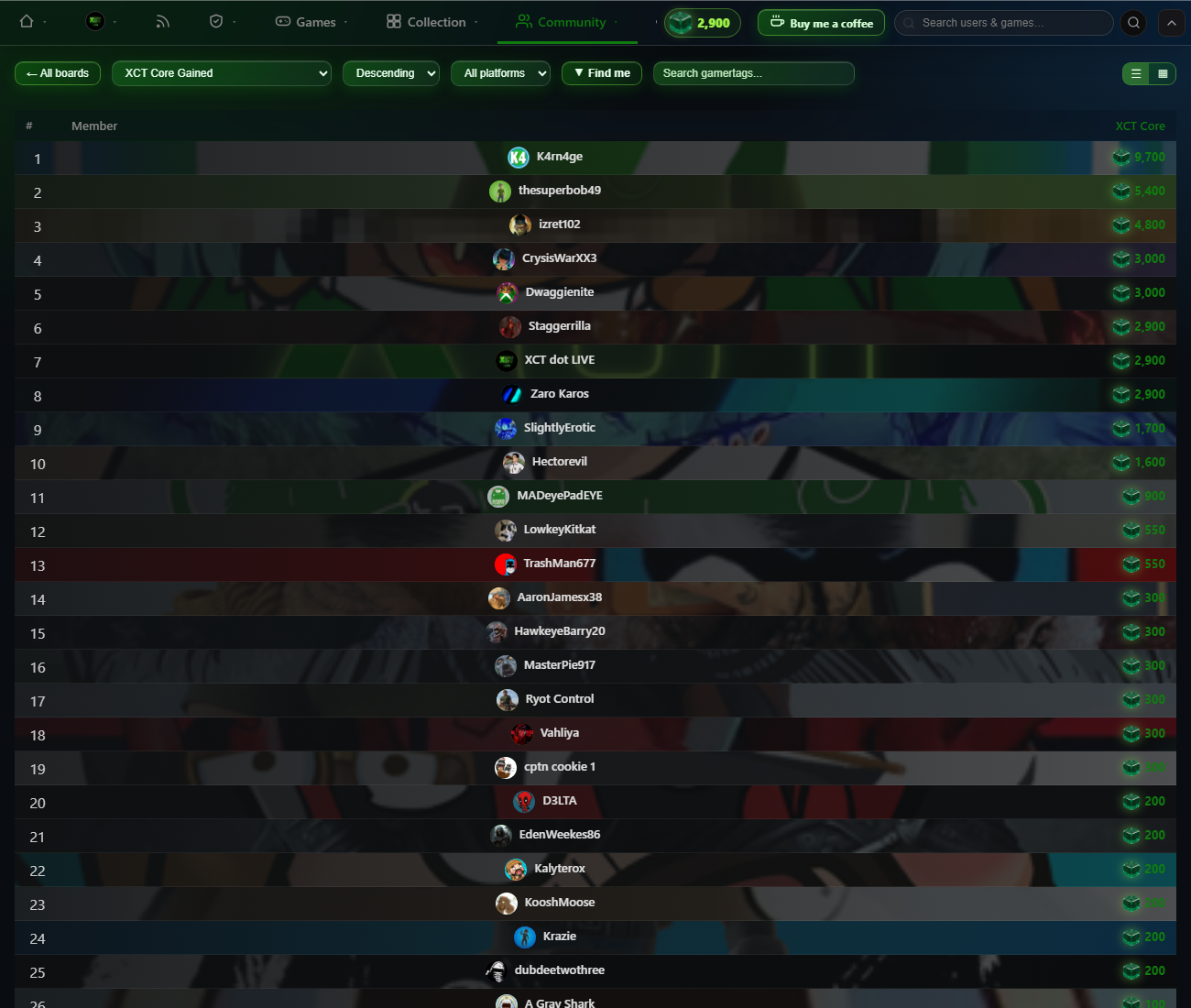
Each member's row now wears their gamerpic as a soft, blown-up background, so the board feels personal at a glance. Names are pulled into the centre, ranks are clean plain numbers, and the old clutter — medals, VIP/Founder/Admin badges and xbox.com links — is gone. A floating XCT Core gem now sits beside every score, and the whole top toolbar is finished in our signature green liquid glass.
The redesigned XCT.live leaderboard — gamerpic-backed rows, centred names and a floating XCT Core gem beside each score

Card view, the XCT way

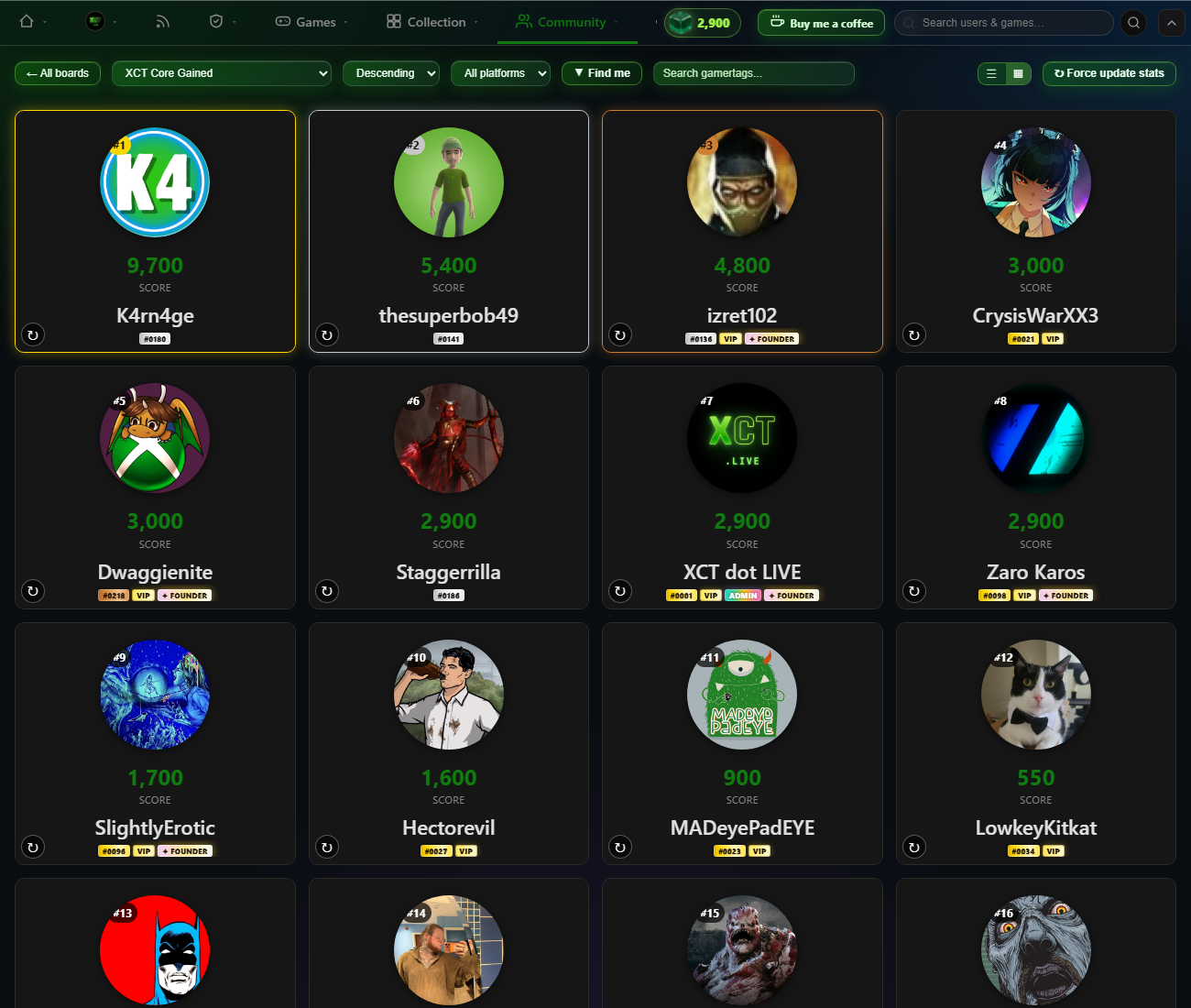
Switch to the grid view and every member becomes an XCT-style card — a smaller round gamerpic up top with a big, bold gamertag below.
The leaderboard grid view as XCT-style cards — circular gamerpics with large gamertags

New boards to climb

Three new contributor boards sit at the top — XCT Core, Referrals and Cards — and the tenure and contributor boards now include every registered member. Open the leaderboards to find your row.

Also new this week

  • Feed Rewind rebuilds your achievements, gamerscore, games started and purchases over any date range as real feed cards — save the whole recap as an image.
  • Cleaner share cards export a dedicated layout with big poster art and your stats beside it.
  • A feed settings cog lets you toggle card types and switch on a compact mode, and you can now disable likes/comments on your own cards.
  • Streak timezone is now its own setting, separate from your display timezone.
Share:
2026-06-21

Introducing Referrals & XCT Core — invite friends, build your Deck, earn currency

Two big new features land today: Referrals and XCT Core. Invite your friends, collect a deck of reward cards, and start banking XCT — our brand-new currency.

Referrals & your Deck

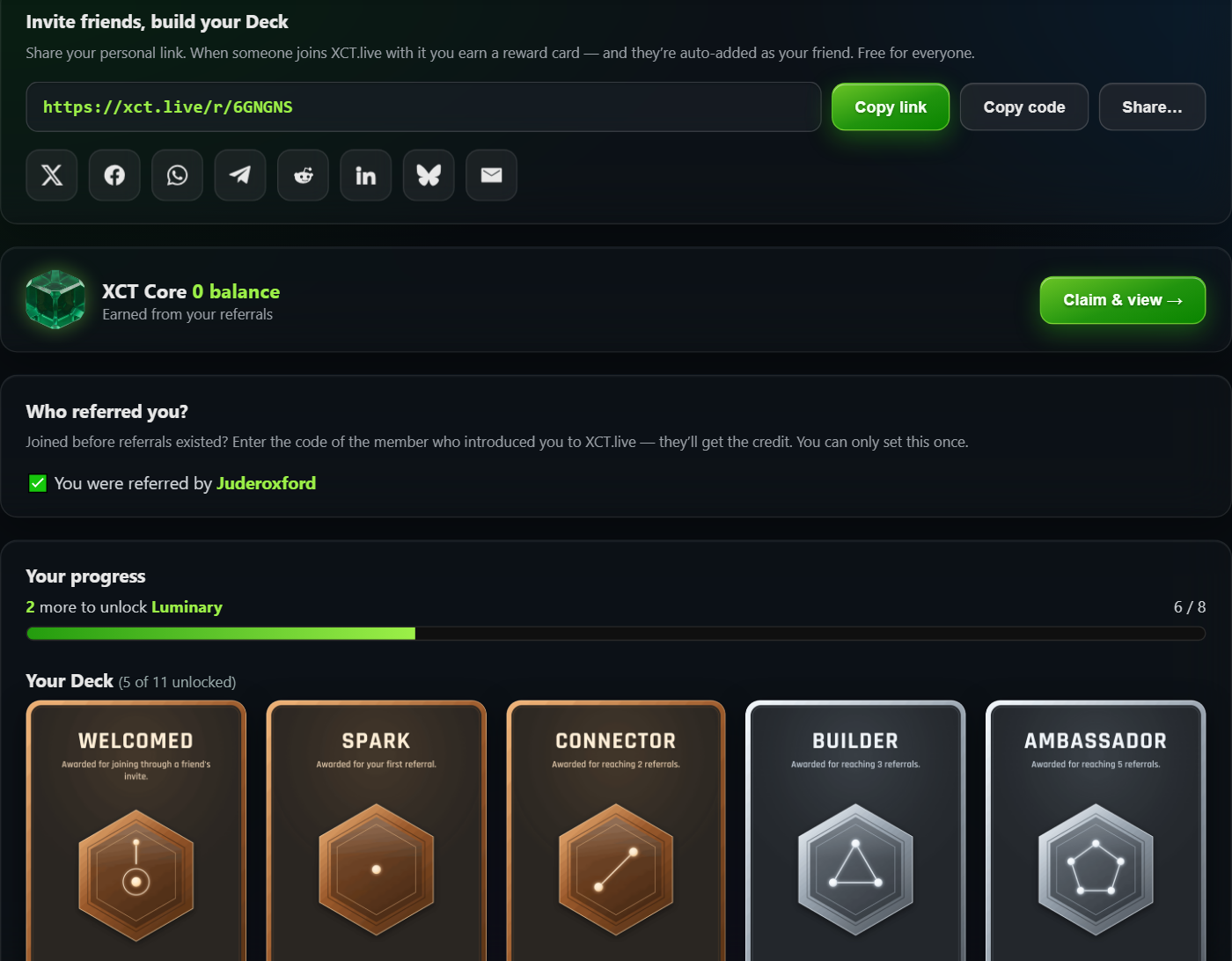
Every member now has a personal invite link (and a short code) under Community → Referrals. Share it to X, Bluesky, Facebook, WhatsApp, Telegram, Reddit, LinkedIn or email — and when a friend joins with it, they’re automatically added as your XCT friend.

As your referrals add up you unlock a Deck of 11 collectible reward cards — from Welcomed (for joining through a friend) and Spark (your first referral) all the way up to Visionary at 100 referrals. Locked cards sit greyscale; unlocked ones light up in full colour, with a progress bar counting down to your next tier. Click any card to view it full-screen.
The XCT.live Referrals dashboard — invite link, social sharing and the reward-card Deck

Joined before referrals existed? No problem — there’s a “Who referred you?” box to credit the member who introduced you (one-time), and your unlocked cards show off on your public profile under the new Deck tab.

XCT Core — a brand-new currency

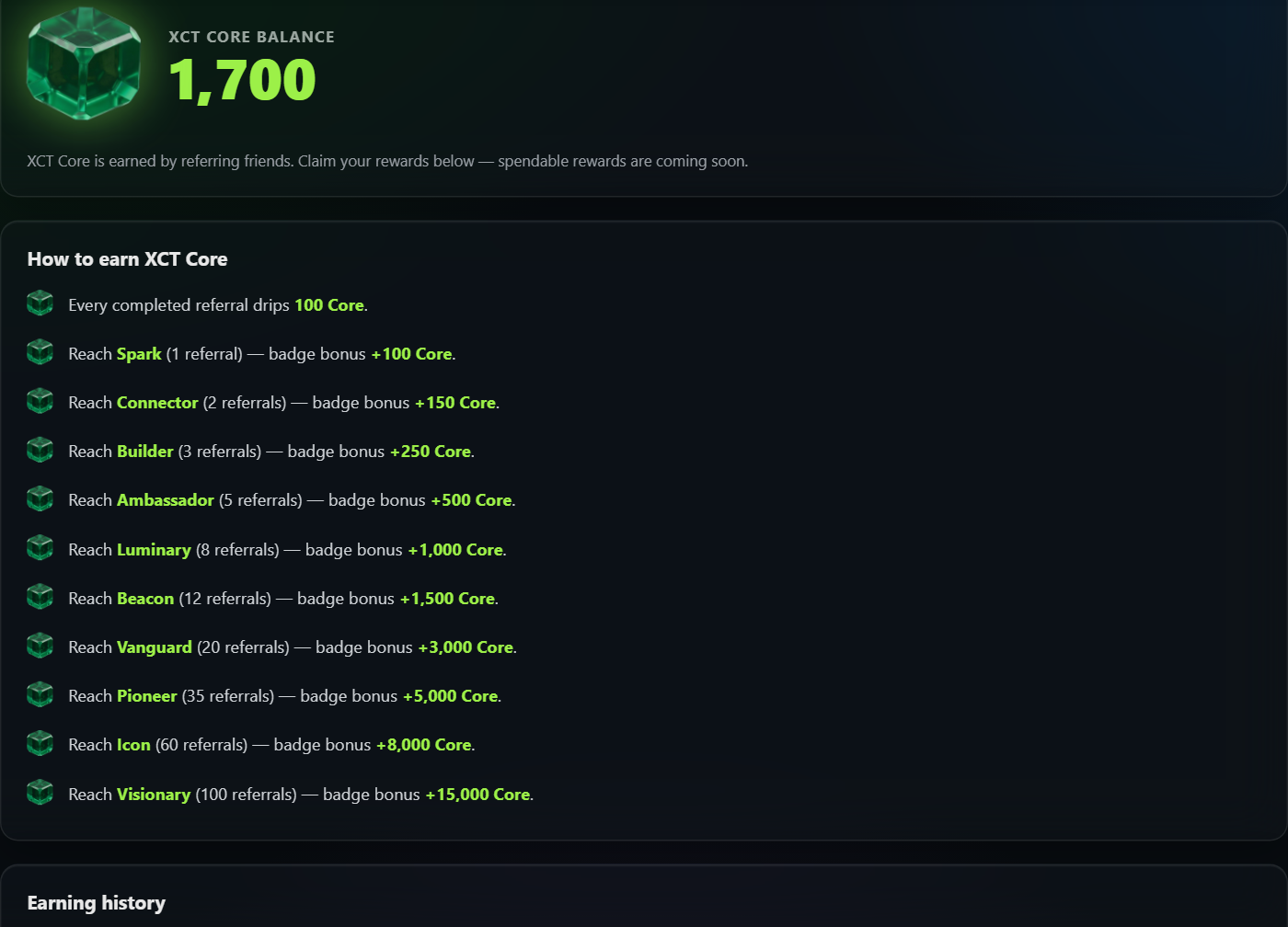
Referrals now pay out in XCT Core. You earn 100 Core for every completed referral, plus a one-time badge bonus each time you reach a new card tier (+100 for Spark, scaling all the way to +15,000 for Visionary), and +100 for your Welcomed card. The floating gem in the top bar always shows your balance.

Open the XCT Core dashboard to claim your rewards — every reward has its own claim button, and claiming plays a little animation as the Core ticks up into your balance. You’ll find a full “how to earn” breakdown and your complete earning history there too.
The XCT Core dashboard — gem balance, claimable rewards and the how-to-earn breakdown

What’s next? XCT Core is racking up right now so you’ve got a head start — spendable rewards are coming soon. Start sharing your link today and build that Deck.
Share:
2026-06-20

What’s new: achievement pages reimagined — pack tagging & colours, unlock times, smarter search

A huge update to the achievement game pages.

🏷️ Community pack tagging & colours — Tag every achievement to its DLC or Title Update pack (admin-moderated). The whole page is now colour-coded by pack: the progress bars split by pack, the pills match, and a new legend lists each pack’s gamerscore and achievement count.
Colour-coded DLC and Title Update pack tagging on a game's achievement list

⏱️ Unlock dates & times — See exactly when you unlocked each achievement, in your own timezone (e.g. “18:11 GMT”, milliseconds on hover), with a new date-format setting and a country flag on your profile.

⚑ Full flag set — A complete achievement flag taxonomy with emoji (Missable, Stackable, Online, Difficulty-specific and ~30 more), plus flag moderators.

🔎 Smarter search — Finds games whatever the word order (“batman lego 3” finds LEGO Batman 3), copes with ®/™ symbols, honours admin renames, and drops DLC and demos so you get the game you searched for.

🏆 A complete achievements directory — /achievements now lists every game that has achievements (~15,700, up from ~14,500), including ones whose list isn’t scraped yet.
The xct.live achievements directory

🎆 Feed sparkle — A subtle firework on Pro / VIP / Founder / Admin upgrade and game-completion cards.

📱 Mobile & app — A new mobile menu and layout, an accessibility pass, and XCT is now an installable app (PWA).

➕ More DLC, automatically — A new scanner fills in DLC nobody owns straight from the Store, so add-ons show up in every game’s tag picker.

See the full list on the Changelog tab.
Share:
2026-06-13

What’s new: Art Manager, the Games feed, the Achievements directory & rarity

A big couple of days on XCT.live — here’s everything that landed.

🎨 Art Manager — Every game’s artwork (square icons and box-art) now comes from a single curated source of truth, so the right art shows up everywhere — your Collection, the Store, Achievements and your profile — instead of the odd random DLC thumbnail. There’s a full admin tool to review, replace, upload, paste or pull fresh art per title, a browsable gallery with zoom, and an automatic “broken art” scanner that flags rotted Microsoft image links so they can be fixed.

📰 Games feed — A new Community → Games feed tracks store and achievement activity across Xbox: brand-new games, DLC, editions and bundles, delistings, price changes, and newly-added achievement lists (including title-update achievements). Filter it by card type.

🏆 Achievements directory — /achievements is now a site-wide directory of every game we have an achievement list for — including hidden and pre-release titles other trackers don’t show. It carries the full Store filters and views, shows each game’s achievement count and total gamerscore, lists one row per unique game, and lets you expand any game to see its individual achievements.

✨ Achievement rarity — Every achievement now shows its global rarity % (how many players have unlocked it), both on your profile and across the directory.

👤 Profile refresh — A cleaner, more compact layout; your Recently Played / Completed rows now use the curated art; pick square icon or full portrait box-art (shown uncropped) and choose how many games each row shows. Plus a native Compare tab to line your achievements up against another gamer’s.

💬 Messaging — Friends and messaging are now open to everyone signed in with Xbox (no longer subscriber-only), and your sent friend requests now show in the Requests folder so you can cancel them.

Under the hood: faster page loads and a couple of stability fixes to keep the site snappy. 💚
Share:
2026-06-05

Microsoft fixes the Windows 8 Xbox sign-in bug — and XCT's Win8 Bridge helped get it there

For months, a wave of older Windows 8 / early-UWP Xbox games could no longer sign in to Xbox Live — breaking achievements across hundreds of titles. The cause: those games still used the deprecated XBL2.0 auth handshake that Microsoft's servers had stopped honouring.

We built the open-source XCT Win8 Bridge as a stop-gap: it sits between the game and Xbox Live and transparently swaps the legacy XBL2.0 token for a modern XBL3.0 one, restoring sign-in and achievement unlocks on affected titles (Reckless Racing was an early confirmed fix).

The problem — and the bridge — got picked up across the community: r/xbox, Pure Xbox (“might have solved how to fix hundreds of broken Windows games”).

Then came the best possible outcome: Microsoft fixed it at the source. An Xbox engineer confirmed that they’d pushed a server-side fix — “we pushed out a fix yesterday that we believe may fix the issues with Windows 8 sign-in and games unlocking achievements.”

Players are confirming it in the wild — the “Windows 8 games are being worked on / working again” thread on r/xbox is filling up with success reports.

That means many of those broken Windows games should now sign in and unlock achievements on their own — you may not even need the bridge anymore. It stays available for anything still affected, but the real win is the fix landing where it belongs: on Microsoft’s side. Huge thanks to everyone who tested, reported and shared. 💚

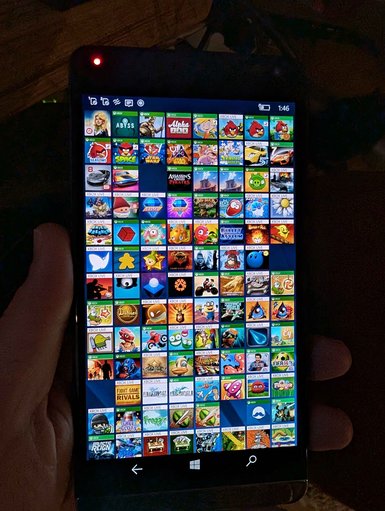
Next up: the Windows Phone devices are coming out of storage 👀Windows Phone Xbox Live games library
Share:
2026-05-16

Retro Xbox 360 gamercard on the Summary tab

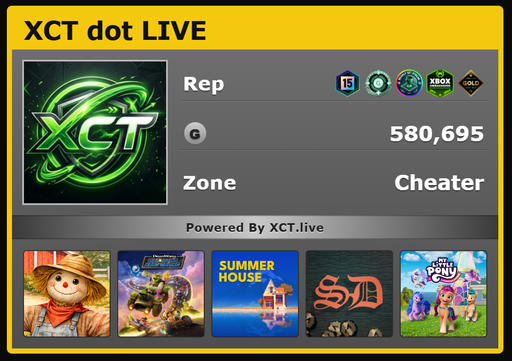
XCT gamercardSign in with your Xbox account and the Summary tab now leads with a retro Xbox 360 style gamercard: gamertag in the yellow stripe, your profile picture, a Rep row built from your rarest equipped badges (tenure, gamerscore tier, then up to three Initiative badges), total lifetime gamerscore, your picked Zone, and a strip of the five games you've played most recently. Pick your Zone from the dropdown below the card — Recreation, Pro, Family, Underground, or Cheater.
Share:
2026-05-15

Tenure leaderboard

New built-in board ranks every tracked gamertag by years on Xbox Live, sourced from the profile tenure badge. The board auto-refreshes every November 15 (Xbox Live launch anniversary) so tenure year-counts roll over with Microsoft's clock.
Share:
2026-05-15

Leaderboards toolbar: switcher, filter, search + 5 new boards

Jump between any leaderboard from the toolbar dropdown, filter to All / Members / Xbox Employees / Rare Gamertags, live-search by gamertag, and use Find Me to page-jump to your own row. New boards: Games Played (with achievement), Total Gamerscore, Games Completed, Gamer by Achievements Won, Gamer by Completion %.
Share:
2026-05-15

Richer per-achievement detail

Achievement detail rows now show full millisecond-precision unlock timestamps, the rarity tier label (Rare / Common) alongside the percentage, a Secret chip on hidden achievements, in-progress progress bars ("73 / 100"), and a Challenge chip with the end date on time-limited seasonal achievements.
Share:
2026-05-08

Games Played leaderboard back on the index

The Games Played leaderboard is now a built-in card alongside Baby Games. Tracked gamertags are ranked by total titles played across Xbox 360, Xbox One, and Xbox Series, sourced via the Xbox API.
Share:
2026-05-08

Tracked gamertags now appear on custom leaderboards

Custom leaderboards can now show tracked (non-registered) gamertags alongside registered xct.live users — their per-game gamerscore is fetched once and cached, so any leaderboard whose game list overlaps their library will surface them automatically.
Share:
2026-05-08

Custom leaderboards now support editors

Leaderboard creators can grant edit access to other users via a user-search picker on the leaderboard detail page. Editors can add and remove games; only the owner can manage the editor roster or delete the leaderboard.
Share:
2026-05-08

Tile images for custom leaderboards

Pick a tile image for your leaderboard from any game it tracks. Card thumbnails now render at the image's natural aspect ratio — no more cropping.
Share:
2026-05-08

Leaderboards moved to the top ribbon

Leaderboards is now its own top-level tab right after Achievements, instead of being buried as a sub-view.
Share: